Author:
Chao N.
HP Sponsors and Vendor Managers are able to transfer a MSP user from one organization to another organization. There is no approval needed in this process.
PLEASE NOTE: transfer should be initiated by the current organization owners or vendor manager. For example, if a user (Pxxxxxxx) is currently in organization (MSPID-xxxxxx-1111111). The vendor managers in this organization or HP Sponsors who are the owner of this organization should do this process.
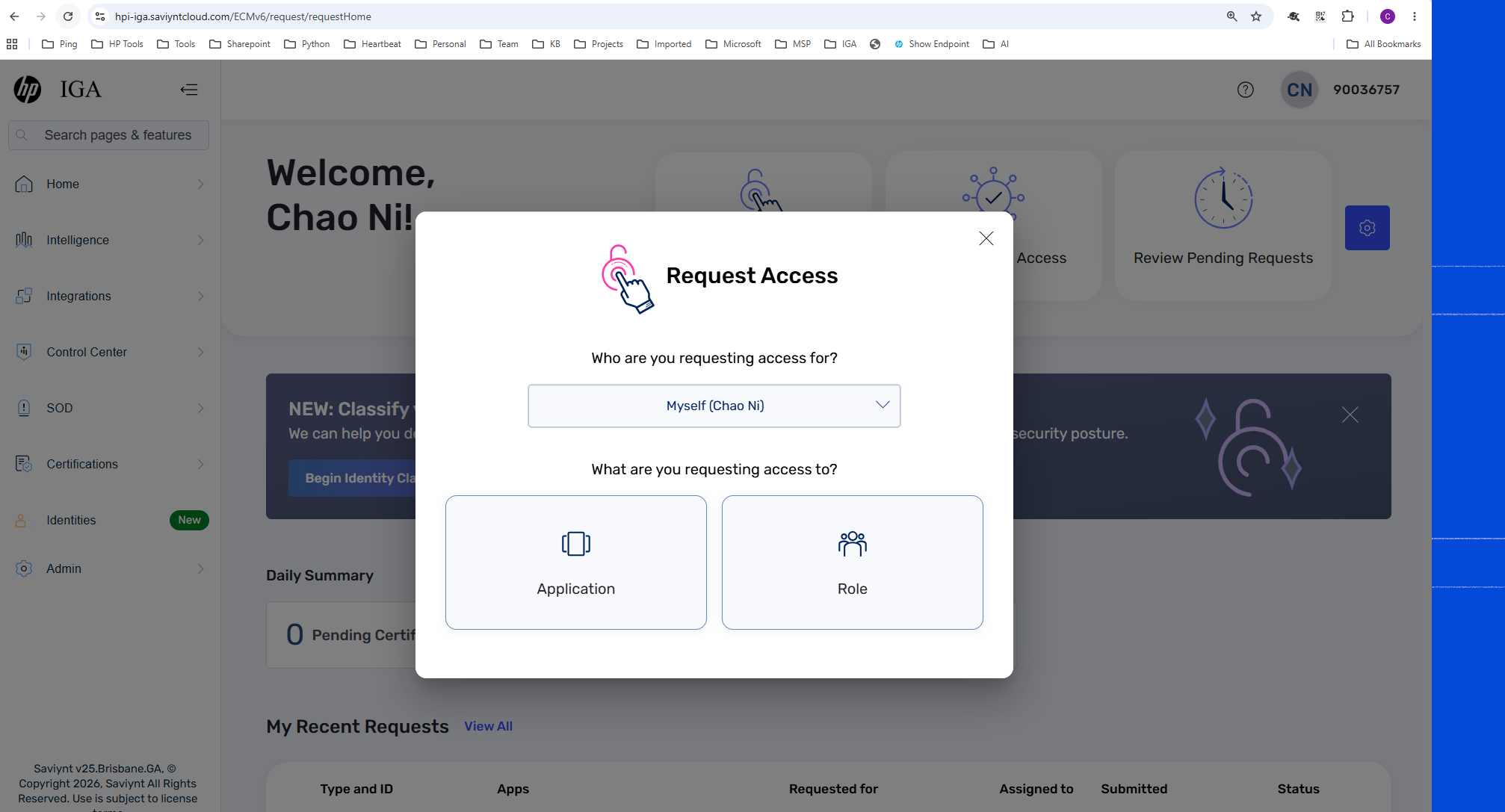
1) Login to IGA and start a application request
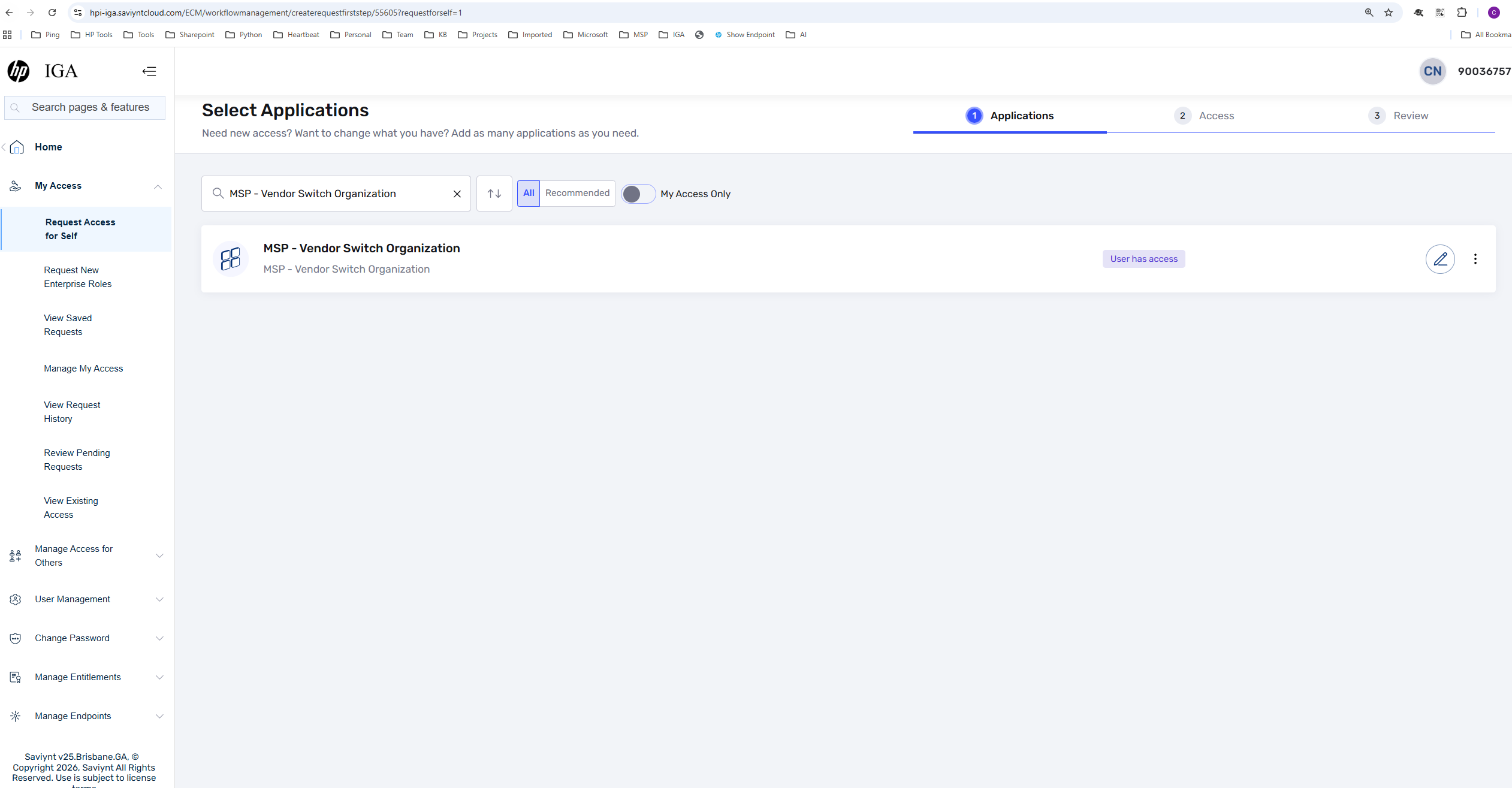
2) Search for application called "MSP - Vendor Switch Organization"
3) In the request page, STEP 1, please search for the organization that the user is currently in
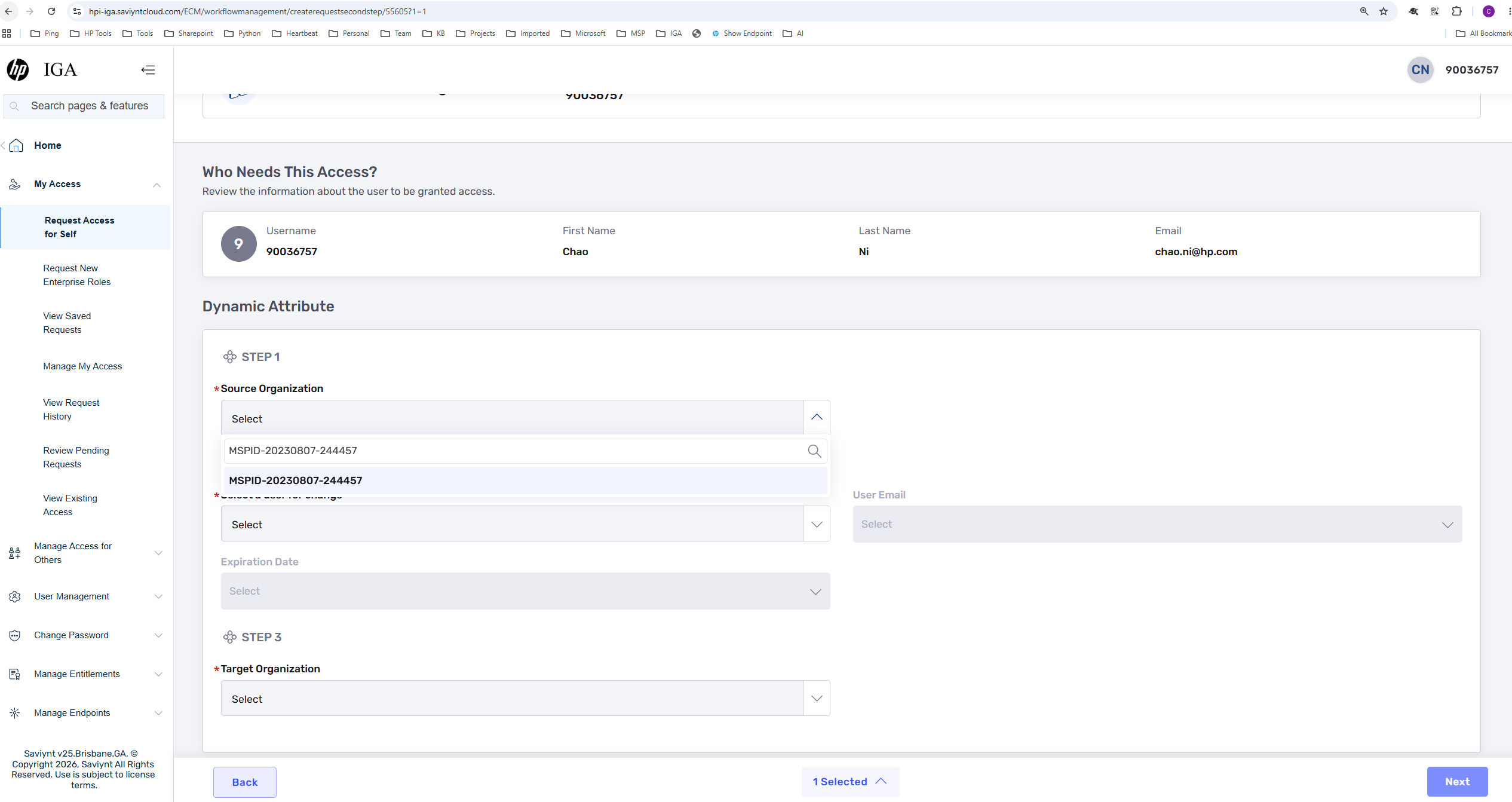
4) In STEP 2, Search and select the user you would like to transfer
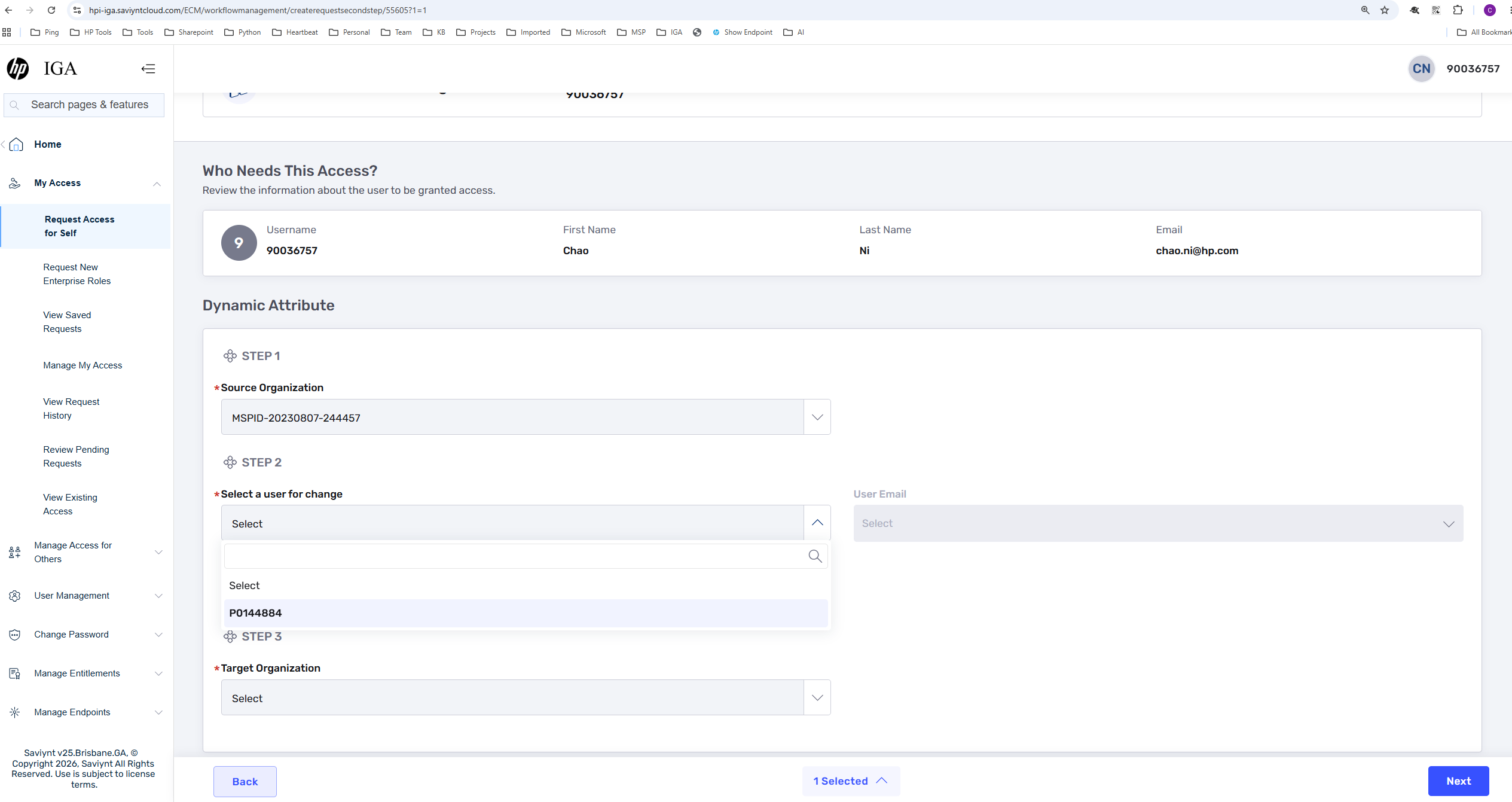
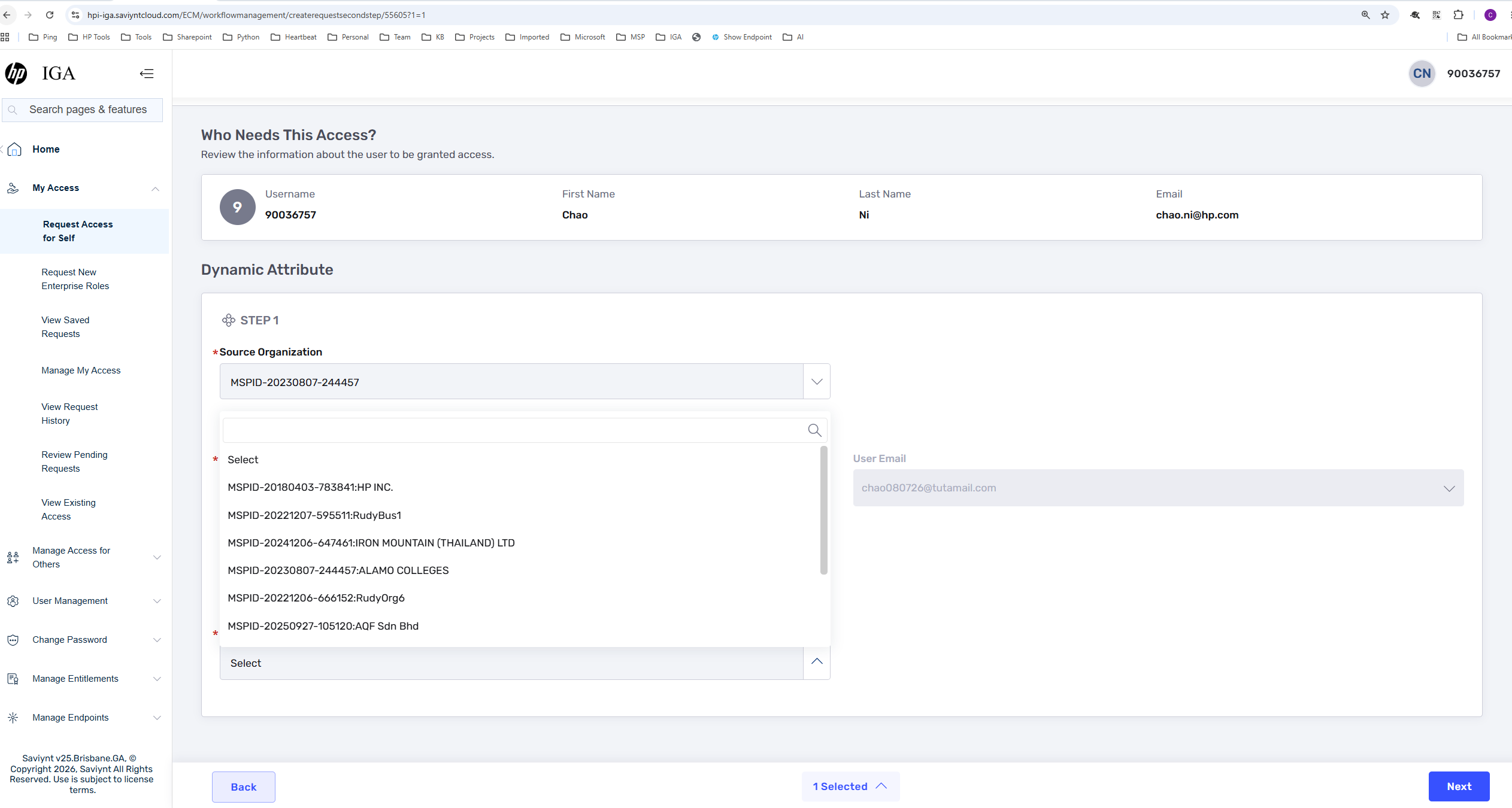
5) In STEP 3, Search and select the organization that the user would transfer to
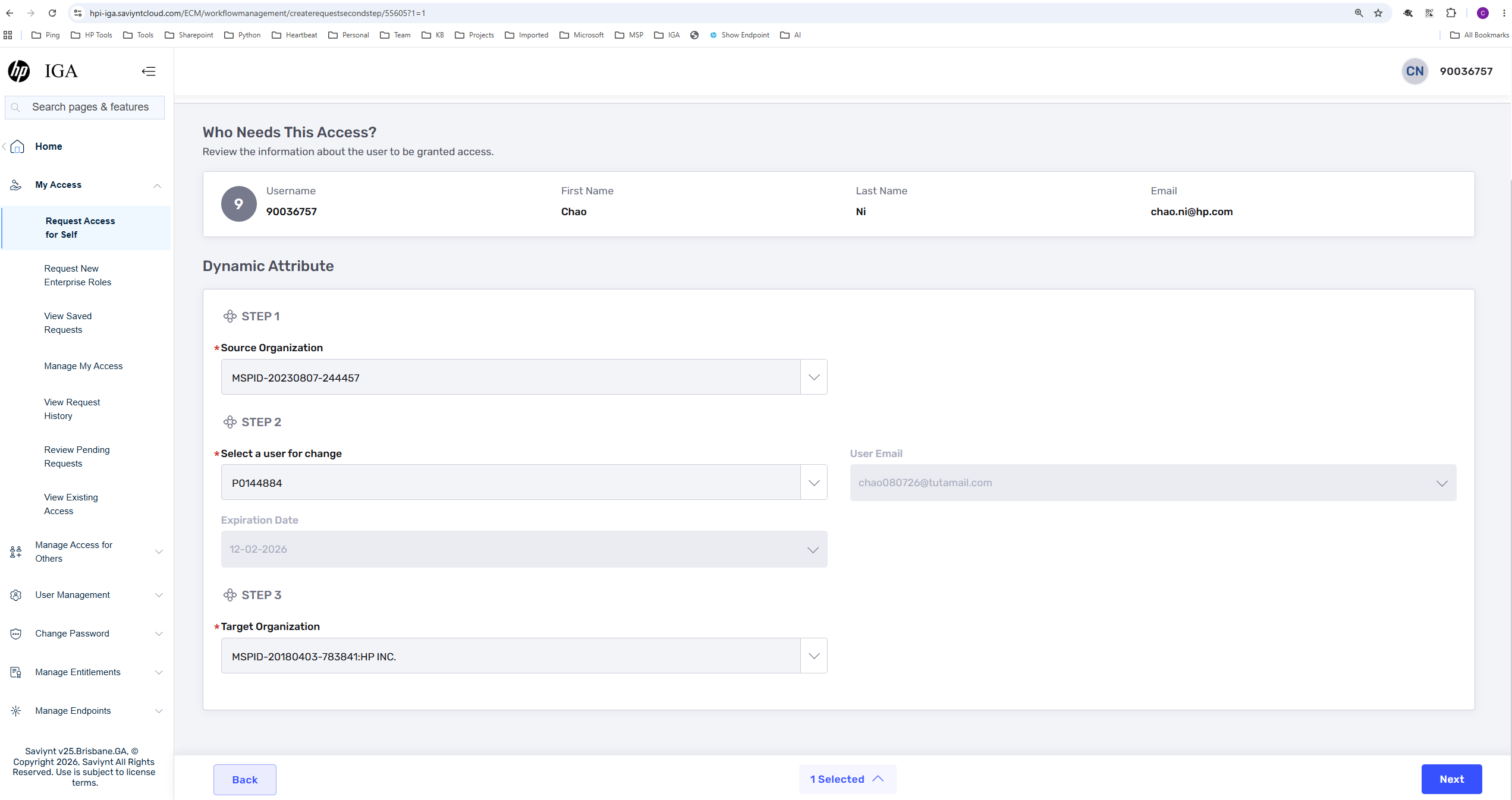
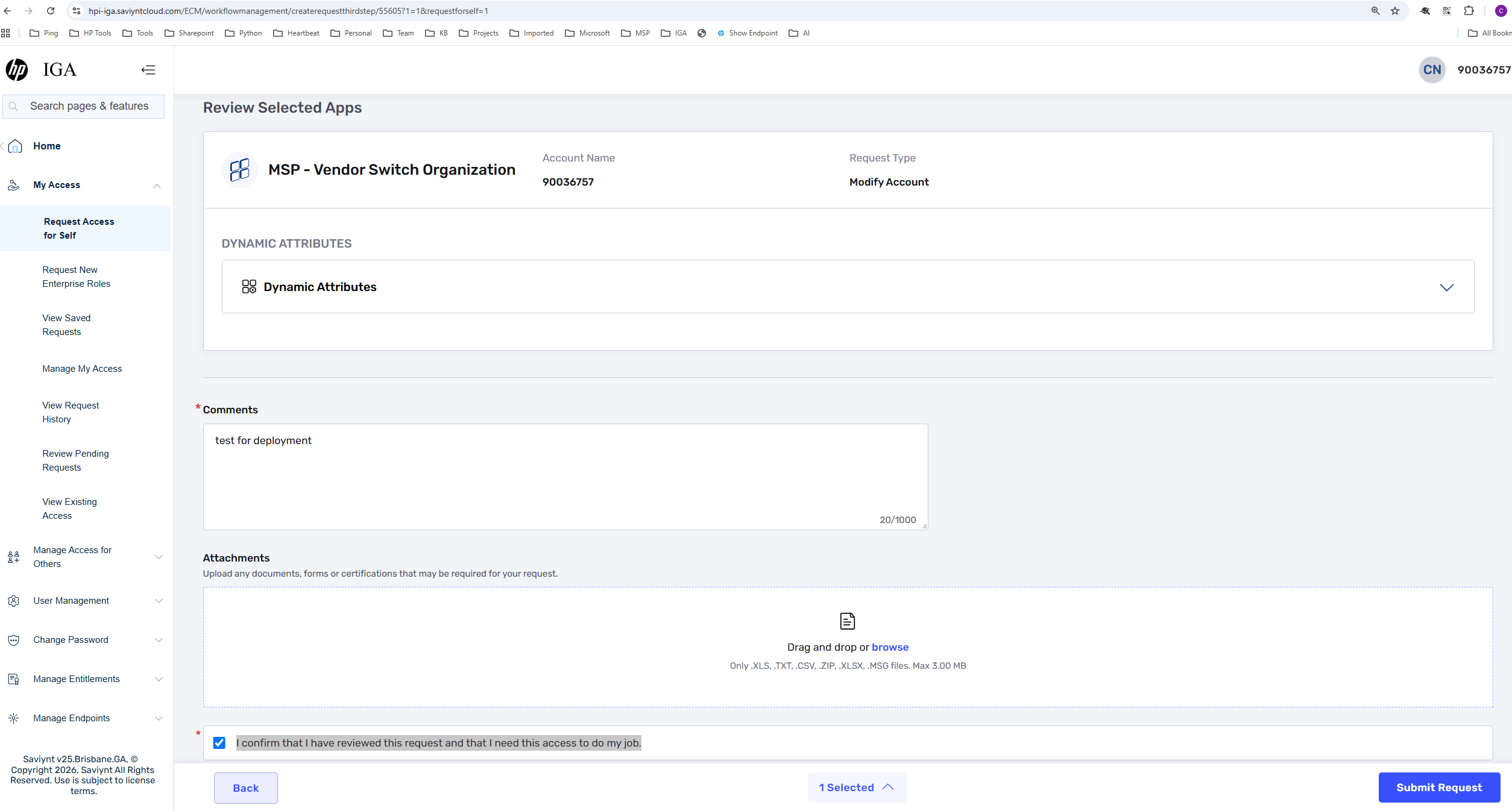
6) Click Next button and in the request detail page, please input the comments and check "I confirm that I have reviewed this request and that I need this access to do my job."