
This is the guideline to use the Analytics Report
Analytics Report is a tool for HP Sponsor to get the list of organizations and end users' status.
Click Home > Intelligence
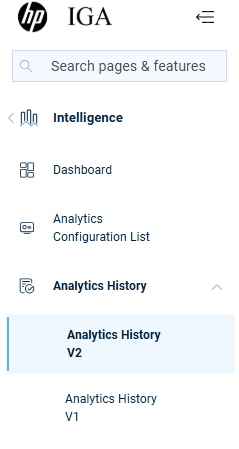
- Select Analytics History V2
In the summary, you will find organization details and user details report
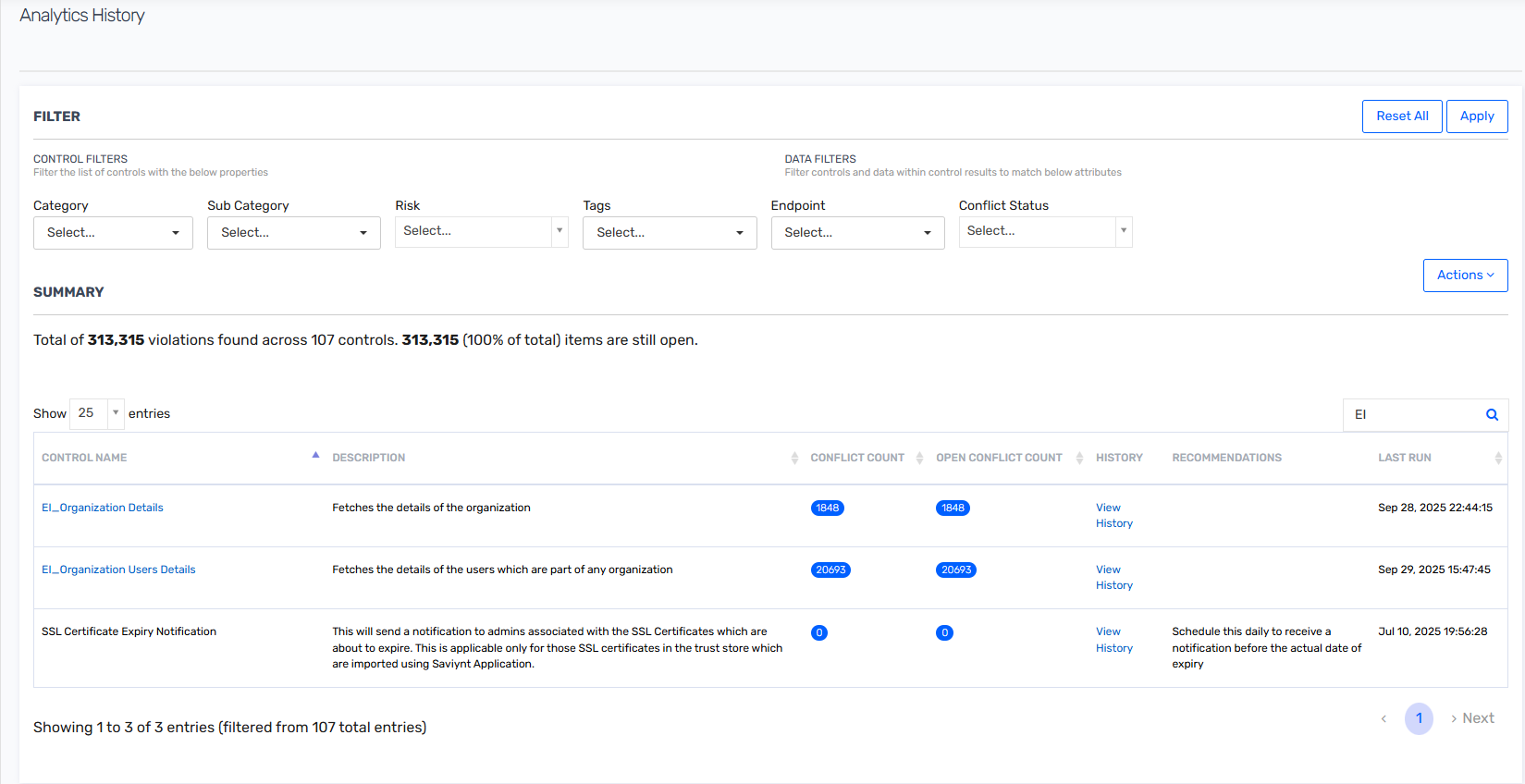
Select EI_Organization Details to get a report of an organization
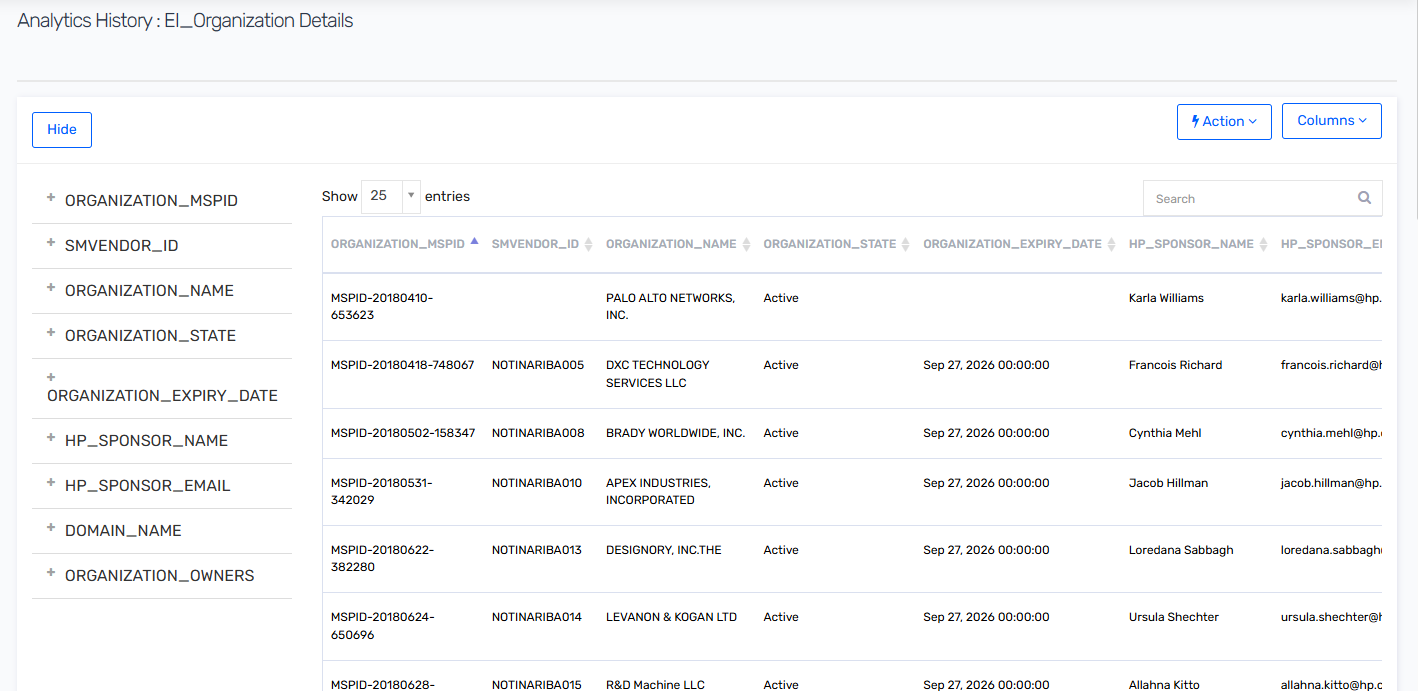
You can use the filter provided to search for a specific organization based on MSPID, Organization Name or HP Sponsor email address.
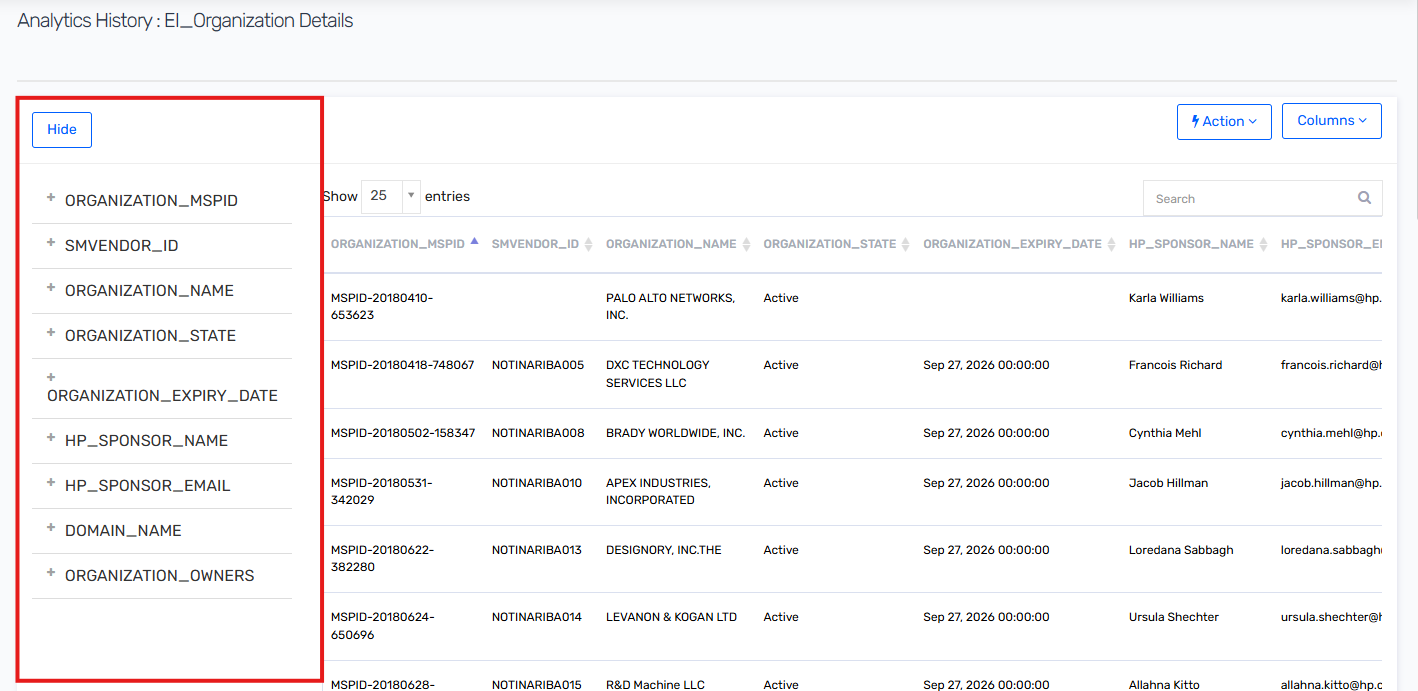
- Select EI_Organization Users Details to search for the end users.
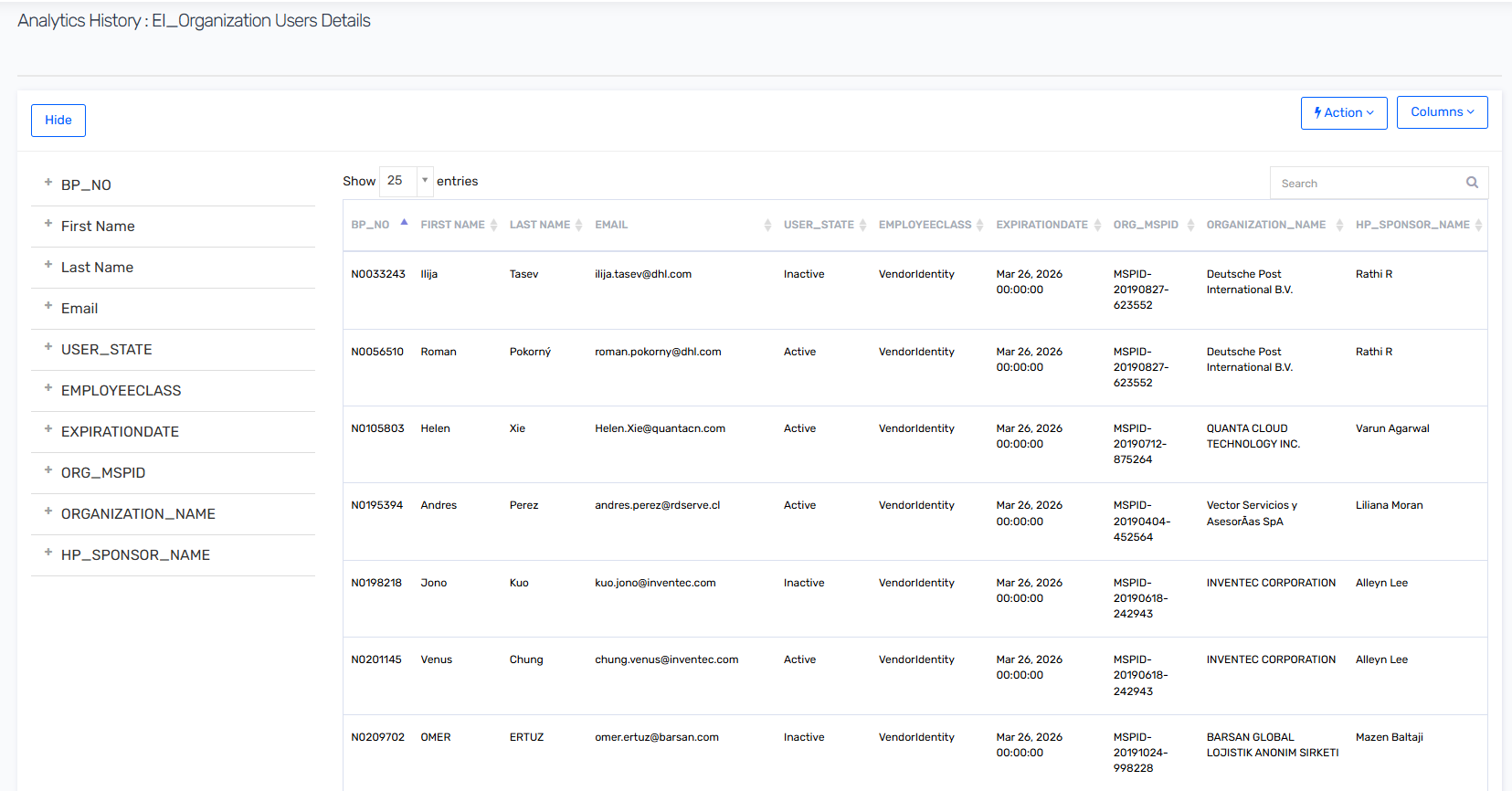
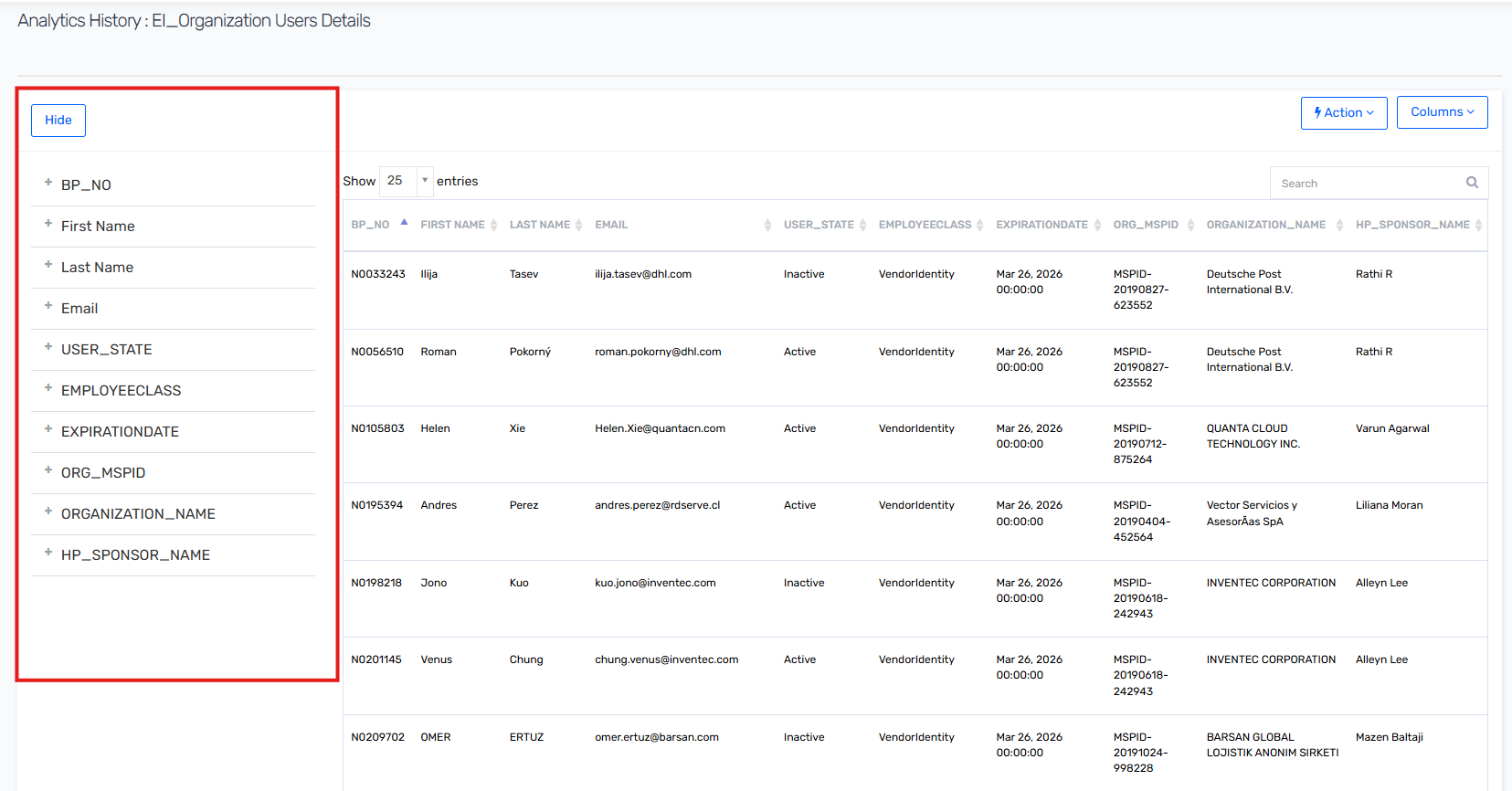
You can use the filter provided to search for a specific user based on MSPID, EmployeeClass or HP Sponsor Name
You can click the action button at the top right to download the report
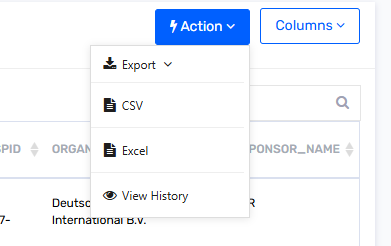
- Select CSV from the dropdown to export the report in CSV format, or you select Excel to get the report in excel format.